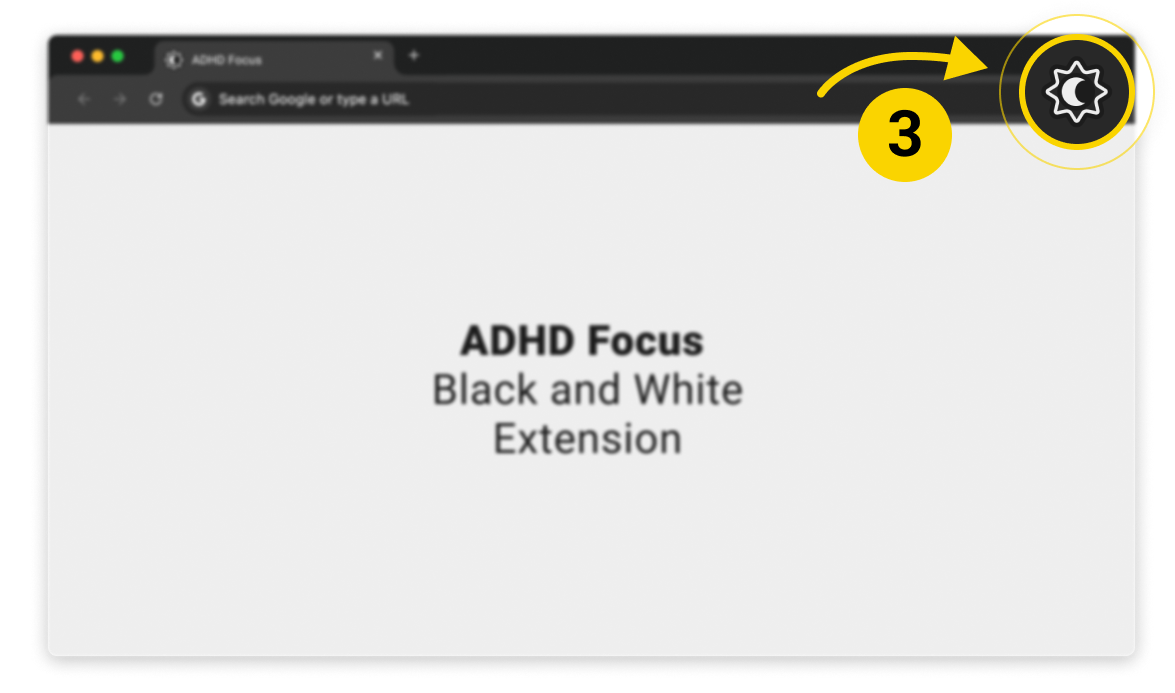
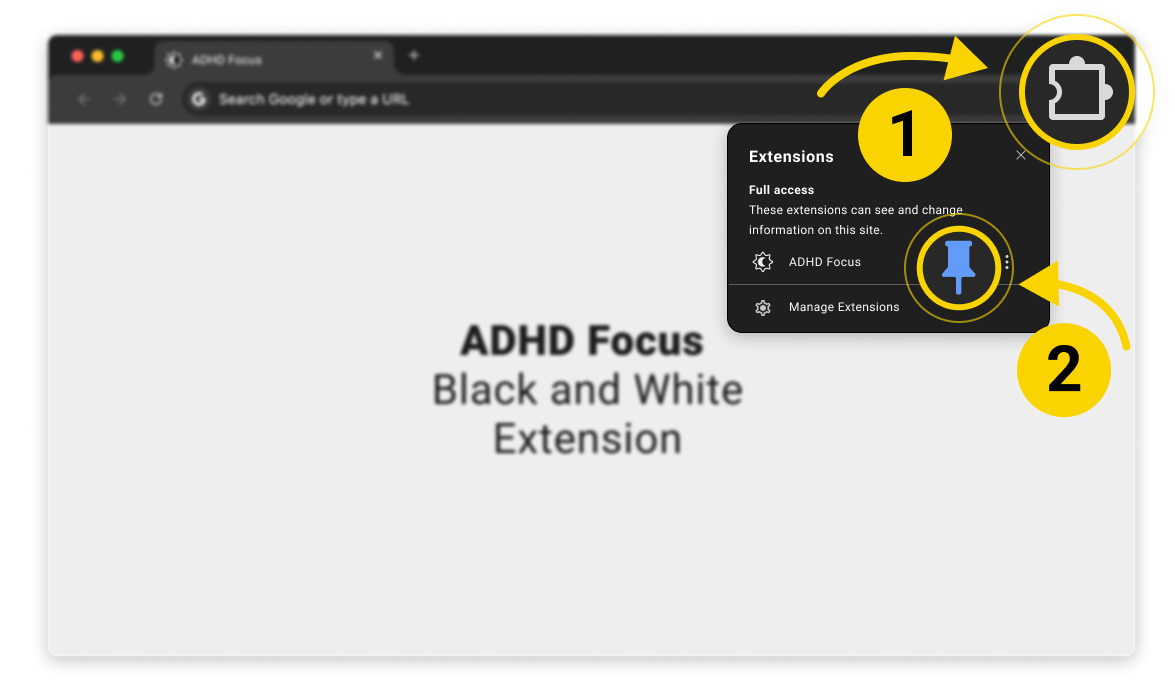
Pin the extension to the toolbar.
Open Chrome’s extensions menu and pin ADHD Focus - Black And White so the icon stays visible in the navigation bar.
 ADHD Focus - Black And White
Welcome guide
ADHD Focus - Black And White
Welcome guide
Open Chrome’s extensions menu and pin ADHD Focus - Black And White so the icon stays visible in the navigation bar.
Open the popup, then switch between black and white, warm colours, and dyslexia mode for the current domain.